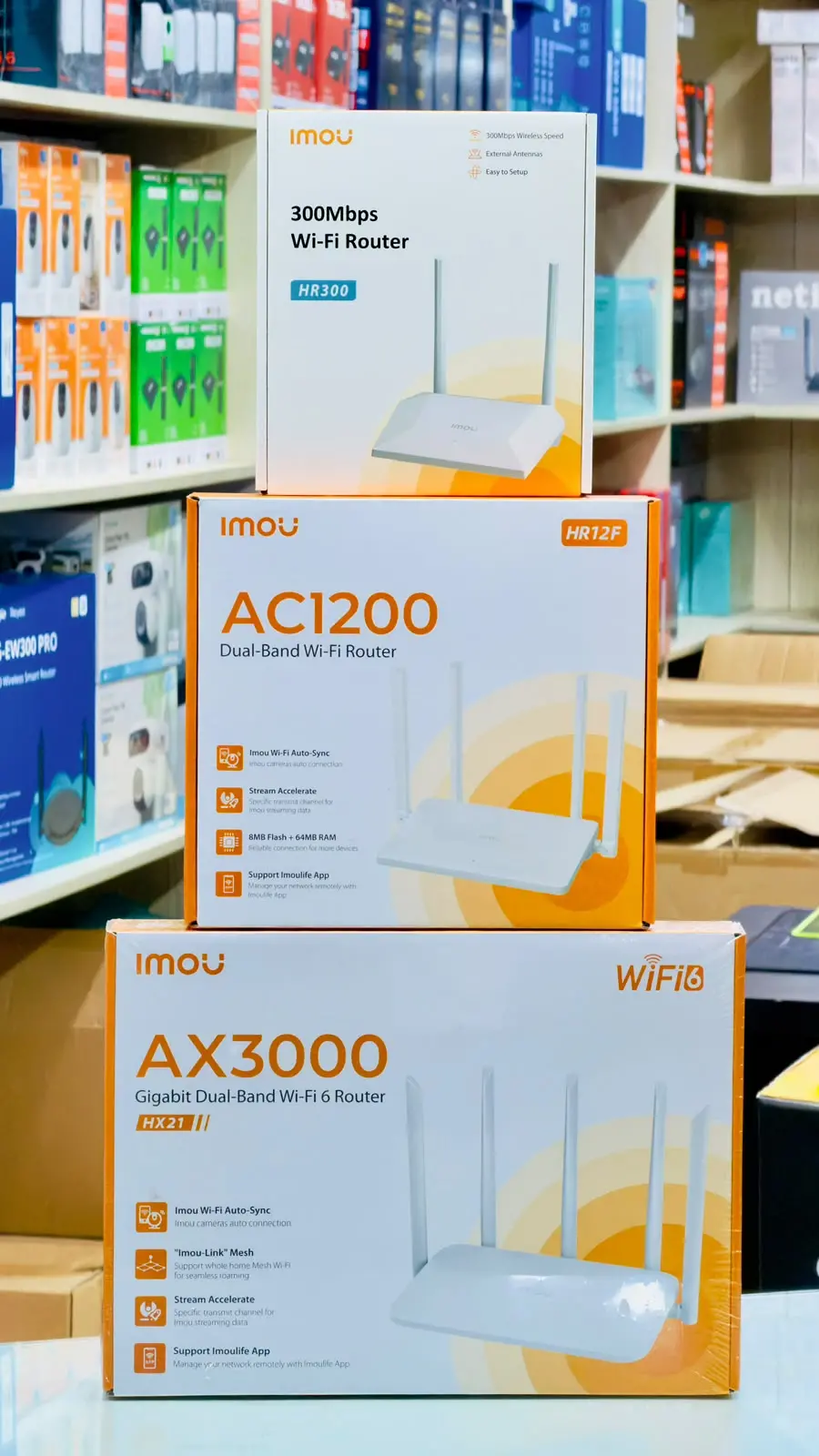
Finding the right IT shop in Moulvibazar can make a real difference when you need a computer for work, a laptop for education, a Wi-Fi router for your home, or a CCTV system for your business. With many products offering different specifications and prices, choosing the right equipment requires more than simply looking at the lowest price.
For customers in Moulvibazar Sadar, nearby areas and the wider Sylhet region, a local computer shop can provide an opportunity to compare products, discuss requirements and ask questions before making a purchase. Customers shopping online across Bangladesh should also consider product compatibility, warranty coverage, delivery arrangements and after-sales support.
This guide explains what to look for when choosing an IT shop in Moulvibazar, how to select suitable technology products, and which common purchasing mistakes to avoid. Whether you are a student, freelancer, office worker, shop owner or home user, these practical tips can help you make a more informed decision.
Why Choose an IT Shop in Moulvibazar?
Buying computer and networking equipment from a local IT shop offers several practical advantages. You can discuss your requirements directly, compare available models and ask about installation, servicing and warranty procedures.
For example, a small business owner may need a computer for accounting, a printer for invoices, a router for internet access and CCTV cameras for monitoring the premises. A student may need an affordable laptop for assignments and online classes. Although both customers need technology products, their priorities and budgets are different.
A suitable IT supplier should help customers identify products that match their intended use rather than automatically recommending the most expensive configuration.
Benefits of buying locally
- Product guidance: Discuss your requirements and compare available options before purchasing.
- Convenience: Visit a nearby shop to inspect products when display units are available.
- Technical assistance: Ask about compatible components, router configuration and installation requirements.
- Warranty information: Confirm the applicable warranty, service centre and claim process.
- Follow-up support: Having a local point of contact can make it easier to discuss problems after purchase.
Local availability varies, so it is sensible to contact a shop before travelling to confirm the model, price and stock status.
Computer and Laptop Buying Guide
Computers and laptops are used for office applications, programming, online education, freelancing, graphic design, video editing and entertainment. The right configuration depends on the software you use and the workload you expect.
Choosing a desktop computer
A desktop computer can be a practical choice for home offices, retail shops, educational institutions and professional workstations. It may also offer more flexibility for component replacement and future upgrades than many laptops.
Before buying a desktop PC, consider the following components:
- Processor: Choose a suitable CPU based on your applications. Basic office tasks do not require the same processing power as demanding editing or development workloads.
- Motherboard: Check processor compatibility, memory support, storage connections and available expansion slots.
- RAM: Memory capacity affects multitasking. Check the operating system and application requirements before choosing the amount of RAM.
- Storage: An SSD generally provides faster boot and application loading times than a traditional mechanical hard drive.
- Power supply: Select a reliable power supply with suitable capacity and connectors for the installed components.
- Monitor and accessories: Consider screen size, resolution, keyboard, mouse and other items required for a complete workstation.
- UPS: Consider backup power to help manage unexpected electricity interruptions and provide time for a safe shutdown.
For example, a computer used mainly for browsing, documents, billing and accounting may not need a dedicated graphics card. A system for 3D work, gaming or GPU-intensive applications may require a different configuration.
When should you buy a laptop?
A laptop is useful when portability matters. Students, travelling professionals and people who work in different locations may prefer a laptop because the display, keyboard, battery and main components are integrated into one device.
Check the processor, RAM, SSD capacity, display quality, battery condition for used devices, available ports and upgrade options. Also confirm whether the laptop meets the minimum requirements of your intended software.
Customers in Bangladesh should compare the exact model number rather than relying only on a product family name. Different configurations of the same laptop can have different memory, storage, display and warranty arrangements.
Desktop versus laptop
| Factor | Desktop computer | Laptop |
|---|---|---|
| Portability | Designed mainly for a fixed location | Easy to carry between locations |
| Upgrades | Many components may be replaceable | Upgrade options depend on the model |
| Workspace | Requires a separate monitor and peripherals in most setups | Includes a screen and keyboard |
| Typical use | Office workstations, custom builds and fixed setups | Education, travel and flexible working |
Neither option is automatically better for everyone. Choose according to your budget, space, portability requirements and expected workload.
How to Choose a Wi-Fi Router in Moulvibazar
A Wi-Fi router distributes an internet connection to wireless and wired devices. The right model depends on your internet plan, building layout, number of users and network requirements.
Customers looking for a Wi-Fi router in Moulvibazar should compare specifications carefully. Router prices change according to model, features, availability and warranty, so confirm the current price before purchasing.
Important router features
- Wi-Fi standard: Check whether the router supports Wi-Fi 5, Wi-Fi 6 or another standard appropriate for your devices and budget.
- Frequency bands: Dual-band routers support 2.4 GHz and 5 GHz networks. The 2.4 GHz band generally offers better reach through obstacles, while 5 GHz can provide higher speeds over suitable distances.
- Coverage: Thick walls, multiple floors and interference can reduce wireless performance. A single router may not provide consistent coverage throughout a large building.
- Ethernet ports: Check the number and speed of wired ports if you connect desktop computers, switches or other equipment.
- Connected devices: Consider the number of phones, computers, televisions, cameras and smart devices using the network.
- Security updates: Look for a manufacturer that provides firmware updates and supports modern network security features.
Brands such as TP-Link, Tenda, Cudy, Mercusys and Netis have products in the Bangladesh market. The availability of particular models and features should be verified before purchase.
Common router buying mistakes
One common mistake is choosing a router based only on its advertised wireless speed. The actual experience also depends on the internet connection, client devices, distance, interference and router configuration.
Another mistake is purchasing a router without checking whether its ports and wireless capabilities match the intended use. If your internet service uses an ONU or XPON device, check the required connection method with your internet service provider before buying additional equipment.
For a large house or office, a mesh Wi-Fi system or additional access points may be more suitable than expecting one router to cover every room. Placement also matters: keeping the router in an open, central location often helps improve coverage.
CCTV Camera and Security Solutions
CCTV systems are used in retail shops, homes, offices, warehouses and other premises where people need to monitor activity. A suitable system can provide live viewing and recorded footage, depending on its equipment and configuration.
Before purchasing CCTV cameras in Moulvibazar, identify the areas that need monitoring and decide how the footage will be stored and accessed.
What equipment does a CCTV system need?
- Cameras: Choose indoor or outdoor models according to the installation environment and required image detail.
- DVR or XVR: These recorders are used with compatible analogue camera systems. Check channel capacity and camera compatibility.
- NVR and IP cameras: Network video recorders work with compatible IP cameras. Check network requirements and supported features.
- Storage: Recording duration depends on storage capacity, resolution, frame rate, compression and recording settings.
- Cables and power: The installation may require suitable cabling, power supplies, connectors or network equipment.
- Remote viewing: Confirm the required internet connection, application compatibility and secure account configuration.
How many cameras do you need?
The correct number depends on the premises, entrances, blind spots and areas that need monitoring. A small shop may need cameras covering its entrance, sales counter and storage area. A larger building may require additional cameras to cover corridors, parking areas and external access points.
Plan camera positions before buying equipment. A camera with a high resolution cannot provide useful detail if it is pointed in the wrong direction or installed too far from the area of interest.
Also consider night vision, lighting conditions, weather resistance for outdoor installations and the privacy of people who may be recorded. Secure the recorder and camera accounts with strong passwords and keep supported firmware updated.
Networking Products and ONU/XPON Devices
Reliable networking equipment helps connect computers, printers, wireless devices and internet services. Depending on the network, an installation may include routers, switches, Ethernet cables, access points and optical network equipment.
ONU and XPON devices are commonly associated with fibre-optic broadband connections. However, not every device works with every provider or network configuration.
What should you check before buying?
- Ask your internet service provider which optical network technology and device compatibility are required.
- Confirm the optical connector type and other connection requirements.
- Check whether the device needs provider-side registration or configuration.
- Determine whether you need a separate router or whether your existing equipment can handle routing and Wi-Fi.
- For offices with many wired devices, consider whether a network switch or additional access point is necessary.
Buying an inexpensive device that is incompatible with your provider may result in extra expense and installation delays. Confirm compatibility before ordering, especially when buying online from another city.
Printers, SSDs, RAM and Computer Accessories
Computer accessories and replacement components can help users maintain existing equipment, improve performance and complete their work without replacing an entire system.
Printers for home and office
Before choosing a printer, estimate how frequently you print and what you print. Inkjet models may suit users who need colour printing or occasional photographs, while laser printers are often considered for text-heavy office workloads. The best choice depends on the model, print volume, consumable cost and maintenance requirements.
Check the cost and availability of ink or toner, supported paper sizes, connectivity options and whether scanning or copying is required. A low purchase price does not necessarily mean the lowest long-term operating cost.
Upgrading RAM and SSD storage
An SSD upgrade can make a computer feel more responsive, particularly when replacing an older mechanical system drive. Additional RAM may improve multitasking when the existing memory is insufficient.
However, neither upgrade solves every performance problem. Before purchasing, check motherboard or laptop compatibility, supported memory type, maximum capacity, storage interface and available physical space.
If a computer is slow because of overheating, failing storage, background software or an outdated processor, replacing RAM alone may not resolve the issue. Diagnosing the cause first can prevent unnecessary spending.
UPS and mini UPS devices
Power interruptions can disrupt computer work and internet connectivity. A suitable UPS may provide backup time for a safe shutdown or short interruptions. Mini UPS products can be useful for compatible low-power networking equipment, depending on their output voltage, current capacity and connectors.
Do not select a backup device based only on the advertised battery capacity. Confirm the output specifications, supported load, expected runtime and compatibility with your equipment. Actual runtime varies with the connected load and battery condition.
How to Compare IT Product Prices in Bangladesh
Prices for computers, routers, CCTV cameras and accessories can change with stock availability, exchange rates, supplier pricing and product revisions. For that reason, an old online listing may not reflect the current market price.
When comparing products, use the exact model number and configuration. For computers, compare the processor, RAM, storage and warranty. For routers, compare wireless standards, ports and supported features. For CCTV systems, compare the camera specifications, recorder compatibility and included accessories.
For online shopping in Bangladesh, check whether delivery charges are included, how damaged items are handled and what documentation is required for a warranty claim. If the product is being shipped to Moulvibazar or another district, confirm the delivery arrangements before completing the order.
It is also worth comparing the total cost of ownership. A printer may have a low initial price but expensive consumables. A CCTV system may require additional storage or installation materials. A computer may need a monitor, UPS or other components before it is ready to use.
How to Choose a Reliable Computer Shop in Moulvibazar
Choosing an IT supplier involves more than finding a product at a low price. The shop should provide clear information about the product, its condition, applicable warranty and any additional costs.
- Verify the model: Make sure the invoice or order confirmation identifies the product correctly.
- Ask about the warranty: Confirm the duration, provider and claim process instead of assuming every product has the same coverage.
- Check compatibility: Confirm that components and networking equipment will work with your existing setup.
- Understand the total cost: Ask whether essential cables, installation, configuration or other accessories are included.
- Keep your documents: Save the invoice, warranty information and order confirmation.
- Ask about support: Find out how to contact the seller if the product develops a fault or needs configuration.
These checks are useful whether you purchase from a shop in Moulvibazar, another location in Sylhet Division or an online retailer serving customers throughout Bangladesh.
Practical Recommendations Before You Buy
A little preparation can help you avoid unnecessary spending and choose equipment that meets your needs.
- Write down your main requirements and maximum budget before visiting a shop.
- For computer upgrades, identify the exact motherboard or laptop model first.
- For routers, consider the building layout and internet speed rather than advertised wireless speed alone.
- For CCTV, plan camera positions and storage requirements before choosing a recorder.
- For printers, estimate monthly print volume and ongoing consumable costs.
- For UPS devices, check the power requirements of every connected device.
- Compare the exact model and warranty terms across sellers.
- Confirm current stock and price before travelling or placing an order.
If you are uncertain about compatibility, share the existing device model and intended use with the seller before purchasing. This is often more useful than choosing a product based on a short description alone.
IT Products and Services at S.S Computers
S.S Computers is a computer and IT product business located in M.R Plaza, Sylhet Road, Kusumbag, Moulvibazar Sadar, Bangladesh. Its product categories include computers, laptops, monitors, printers, Wi-Fi routers, networking products, CCTV cameras, SSDs, RAM, UPS devices and accessories, subject to current availability.
Customers can visit sscomputer.net to explore the website and enquire about products. For specific models, prices, stock availability, warranty details or service requirements, contact the business before making a purchase.
Whether you are setting up a home computer, upgrading an office workstation or planning a small network, start by identifying the actual requirement and comparing suitable options. This approach helps you choose technology that offers practical value over time.
Frequently Asked Questions
1. Where can I find an IT shop in Moulvibazar?
You can look for computer and IT product shops in Moulvibazar Sadar and check their websites or business profiles for product categories, location and contact information. S.S Computers is located in M.R Plaza, Sylhet Road, Kusumbag, Moulvibazar Sadar. Confirm opening hours and stock before visiting.
2. How can I check Wi-Fi router prices in Moulvibazar?
Compare the exact router model, wireless standard, frequency bands, ports and warranty. Contact local shops or check their current online listings because prices and availability can change.
3. Which router is suitable for a home in Bangladesh?
The right router depends on your internet plan, home size, wall construction and number of connected devices. A small home may need a basic model, while a larger home may benefit from a stronger router or mesh system. Check compatibility with your internet service.
4. What should I check before buying a CCTV camera?
Consider resolution, night vision, indoor or outdoor suitability, recorder compatibility, storage capacity, power requirements and remote viewing. Plan camera positions and ask about installation costs and warranty coverage.
5. Is an SSD upgrade worth it for an old computer?
An SSD can improve boot and application loading times when replacing a slower system drive. Check the computer's supported storage interface and diagnose other performance problems before deciding whether an SSD, RAM upgrade or replacement computer is appropriate.
6. How do I choose a computer for office work or freelancing?
Start with the applications you use and their hardware requirements. Compare processor performance, RAM, SSD storage, display needs and upgrade options. Demanding video editing or graphics work may require more powerful hardware than documents, browsing and basic accounting.
7. What should I check when buying IT products online in Bangladesh?
Verify the seller, exact model, total price, delivery terms, return policy and warranty arrangements. Keep the invoice and order confirmation, and confirm compatibility before ordering components or networking devices.
8. Does S.S Computers sell computer and networking products?
S.S Computers lists computer and IT product categories including computers, laptops, monitors, printers, Wi-Fi routers, networking equipment, CCTV cameras, SSDs, RAM, UPS devices and accessories. Visit the official website or contact the business to confirm current availability and prices.
Conclusion
Finding the right IT shop in Moulvibazar starts with understanding what you need, comparing the correct specifications and checking warranty and support arrangements. Whether you are buying a computer, laptop, Wi-Fi router, printer, CCTV system or networking equipment, the lowest price alone should not determine your decision.
By checking compatibility, considering long-term costs and confirming current product availability, customers in Moulvibazar, Sylhet and across Bangladesh can make more informed technology purchases. S.S Computers is one local option for exploring computer products and IT solutions in Moulvibazar. Visit sscomputer.net for further information and product enquiries.